
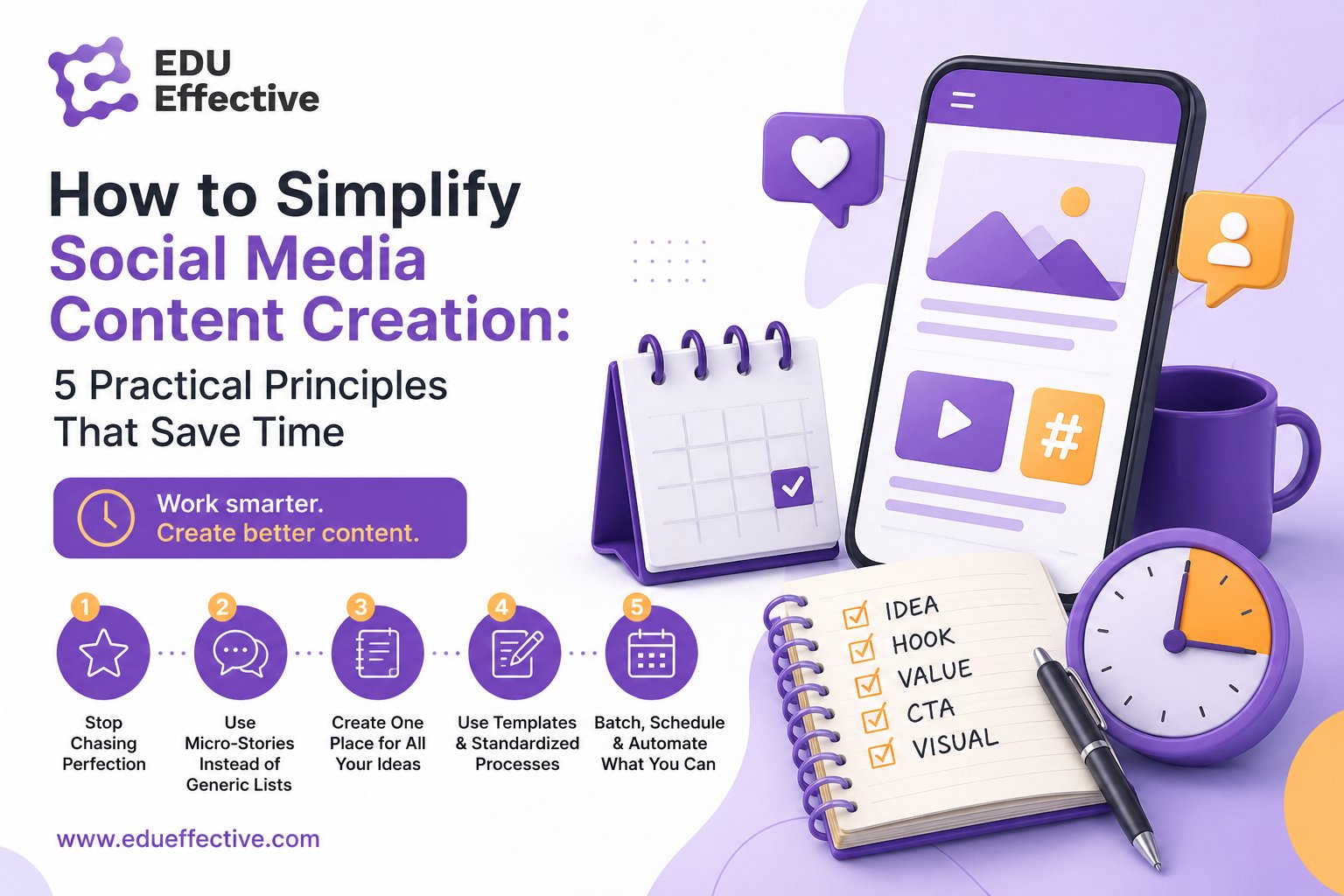

Creating content for social media can quickly start to feel like an endless cycle. As soon as you finish one post, you already have to think about the next one. You need a topic, a caption, a photo, a graphic, a video, editing, and finally publishing.
For small businesses, entrepreneurs, and personal brands, this way of working is often unsustainable. They do not have large production teams, unlimited budgets, or several hours a day to dedicate solely to social media.
The good news is that effective content does not need to be perfectly produced. It is far more important for it to be useful, human, clear, and consistent.
Here are five practical principles that can make content creation significantly easier.
1. Stop Chasing Perfection
One of the biggest barriers to content creation is the belief that every post must look flawless. Professional graphics, perfect lighting, clean audio, polished editing, and a caption refined until every sentence feels exactly right.
But this approach often does not lead to better content. It leads to no content at all.
On social media, content with lower production requirements is often performing increasingly well. This does not mean low-quality or low-value content. It means content where the message matters more than perfect execution.
This could include:
- a short video recorded on your phone,
- a photo with a simple text overlay,
- a screenshot from your notes,
- a short three-slide carousel,
- an unpolished behind-the-scenes moment,
- a video where you leave in a small mistake or natural pause.
Small imperfections can actually increase trust. They show that there is a real person behind the content, rather than an anonymous production team or a perfectly generated AI avatar.
However, low production effort must never mean low value. Your content should still answer a question, solve a problem, share useful experience, or help the customer take the next step.
A Practical Experiment
Choose three upcoming posts and create them in a much simpler way than usual. Reduce the graphics, effects, editing, or production time and compare the results with your previous content.
Do not look only at views. Also track:
- comments,
- shares,
- saves,
- website visits,
- enquiries,
- conversions or sales.
Social media is, to a large extent, continuous A/B testing. The faster you publish, learn, and adjust, the faster you discover what your audience genuinely responds to.
2. Use Micro-Stories Instead of Generic Lists
Posts such as "5 Tips for…" or "3 Common Mistakes…" can still work. However, there are now so many of them that standing out has become increasingly difficult.
The problem is even greater with generic AI-generated content. Almost anyone, including your competitors, can create a similar post in seconds.
What is much harder to copy is your own experience, perspective, stories, and opinions.
You do not need to write long, dramatic stories. Social media is well suited to micro-stories: short situations from everyday practice that lead to a useful insight.
You could share:
- a question a customer recently asked,
- a mistake you made,
- something that surprised you during a consultation,
- a lesson you learned while solving a problem,
- how a customer overcame a concern,
- an opinion you recently changed,
- a specific method that produced a result.
Stories work because they help people imagine the situation and identify with it. As a result, they are more likely to remember the message and feel that you genuinely understand their problem.
Instead of writing: Three tips for creating content more efficiently.
You could begin with: Last week, a client told me she was spending almost three hours creating a single carousel. We changed one thing, and she finished her next post in twenty minutes.
This introduction includes a real situation, a problem, tension, and the promise of a result.
Tell the Story from the Customer's Perspective
One of the biggest weaknesses of business content is self-focus. Customers are rarely interested in how long you spent developing a product or how many specialists were involved.
They want to know:
- How will this help me?
- What problem will it solve?
- What frustration will it remove?
- What result can I expect?
- Why should I trust it?
When creating any post, ask whether you are mainly talking about yourself or about the value for the reader.
3. Create One Place for All Your Ideas
Inspiration rarely appears when you open a blank document and decide it is time to create a post. It usually comes during a customer conversation, a meeting, a walk, while reading a book, or while solving a real problem.
If you do not record the idea immediately, you will probably forget it.
Create one central idea system for all content ideas. It does not need to be technically advanced. It could be:
- a note on your phone,
- a Google document,
- a spreadsheet,
- a Notion database,
- voice notes,
- a paper notebook.
The tool matters less than the system. The important thing is that all your ideas are stored in one place and can be found quickly.
For each idea, you could record:
- the main thought,
- the situation that inspired it,
- the target audience,
- the customer problem,
- the possible format,
- the call to action,
- the current status.
You do not need to decide immediately whether the idea will become a social post, newsletter, article, or video. First capture the core idea. You can choose the format later.
Build Content Like Lego
Do not automatically delete sections removed from an article, newsletter, or script. A paragraph that did not fit one piece of content may later become a separate post, video, or introduction to a new article.
Do not think of content as a one-time output. Think of it as a collection of reusable building blocks that can be combined in different ways.
4. Use Templates and Standardised Processes
A large amount of time is not lost during the writing itself. It is lost searching for files, photos, colours, fonts, previous posts, or suitable graphics.
A simple system can eliminate much of this wasted time.
For example, create:
- a folder with usable photos and videos,
- one document for all ideas,
- an overview of work in progress,
- a set of graphic templates,
- a consistent approval and publishing process.
Three Templates Most Brands Need
Most brands do not need dozens of different designs. A few well-prepared templates are usually enough.
1. Photo Template
A photograph with one simple brand element, such as a coloured bar, frame, or shape.
2. Photo or Video with a Headline
Useful for carousel covers, video thumbnails, or Reels. The headline should remain readable on different backgrounds.
3. Text-Based Template
A simple layout for quotes, tips, instructions, lists, or short insights.
Use the same colours, fonts, and visual elements consistently. You do not need to place your logo on every post. Brand recognition is often built more effectively through consistent colours, shapes, and communication style.
Avoid selecting a completely new Canva template for every post. This usually creates an inconsistent profile where every post looks as though it belongs to a different brand.
5. Create Content in Batches
One of the most efficient ways to work is through content batching.
Instead of producing one post from beginning to end, group similar tasks together.
For example:
- select several topics,
- write multiple scripts,
- record several videos,
- edit all the videos,
- prepare several graphics,
- write a group of captions,
- schedule the content.
When recording a video, much of the time is spent on preparation: choosing clothes, setting up lights and equipment, preparing the space, and becoming comfortable in front of the camera.
Once everything is ready, recording five videos is much more efficient than recording only one.
The same principle applies to graphics, writing, editing, and scheduling.
Reserve Time in Your Calendar
Content creation rarely happens automatically. It helps to reserve a regular time block in your calendar.
It does not need to be a full working day. For a small brand, two hours a week and one longer filming session every two weeks may be enough.
Regular practice also makes the process faster. Something that initially takes an hour may take only twenty minutes after a few months.
Keep Several Posts in Progress
Not every post needs to be completed immediately. It is useful to have content at different stages:
- idea,
- outline,
- written draft,
- graphic prepared,
- video recorded,
- video edited,
- ready to publish.
When an unexpected project, illness, or urgent task appears, you can finish the post that requires the least remaining work. This helps you avoid disappearing from social media for several weeks.
Reuse the Content You Already Have
You do not need to invent a completely new topic every day. One strong piece of content can be reused in many ways.
A single webinar can become:
- a blog article,
- several short videos,
- a carousel,
- a newsletter,
- a series of posts,
- quote graphics,
- a checklist,
- a short podcast,
- answers to frequently asked questions.
One longer video can be divided into multiple short clips. A newsletter can become a LinkedIn post. An article can provide scripts for several videos. A podcast can become a carousel featuring screenshots and key insights.
Repetition is not a lack of creativity. Your audience does not see every post, and people often need to encounter the same idea several times before they remember it or act on it.
Keep the main message, but adapt it to different formats and channels.
How to Use AI Effectively
Artificial intelligence can significantly accelerate content creation, but it should not replace your own experience, opinions, and stories.
Think of AI as an assistant or intern that needs clear instructions.
Instead of using a short prompt such as: Write five tips for improving social media content.
Give AI detailed input:
- What happened?
- What problem was the customer facing?
- What did you recommend?
- What was the result?
- Who is the content for?
- What tone should it use?
- What should the reader do next?
Dictation can be especially effective. Describe a customer situation, consultation, or personal insight in your own words and ask AI to turn it into a structured first draft.
The original thought should still come from you. Otherwise, the result is likely to be generic content that any competitor could publish.
AI can also help with:
- transcribing spoken content,
- creating an article structure,
- shortening or expanding text,
- generating headline options,
- turning an article into a carousel,
- removing silence or mistakes from video,
- generating subtitles,
- adapting one piece of content for different channels.
Over time, it is useful to give AI examples of your previous writing and define clear tone-of-voice guidelines. This helps the output better reflect your vocabulary, tone, and communication style.
A Simple Weekly Content System
You can begin with the following process:
1. Capture five ideas
Write down customer questions, situations from your work, and personal observations.
2. Choose one main topic
Select the idea that is most relevant to your audience.
3. Create one longer piece of content
This could be an article, newsletter, video, webinar, or podcast.
4. Divide it into smaller pieces
Create, for example, three posts, one short video, and one carousel.
5. Use prepared templates
Do not design every visual from scratch.
6. Prepare everything in one focused block
Group writing, graphics, recording, and scheduling.
7. Publish and evaluate
After several attempts, compare the results and continue with what works best.
Conclusion: Less Production, More Value
Efficient content creation is not about working more. It is about removing unnecessary steps.
You do not need perfectly produced posts. You do not need to start from scratch every time. You do not need a completely new idea every day.
What you need is:
- a useful message,
- a clear understanding of your customer,
- real experiences and stories,
- a simple system,
- regular time for content creation,
- a willingness to test and improve.
The most important question is therefore not: "Does this post look professional enough?"
A much more useful question is: "Will this post help my customer understand, solve, or do something?"
If the answer is yes, the post is probably ready to publish.
Source: Klara Mouchova's webinar for EDU Effective